If a smart water shutoff leaves your home without water, the cause may involve the valve, its controls, or the water supply. The first step is to identify what is affected and what the system is reporting. Do not assume that an apparent blockage means a pipe is physically clogged.
An ACCU Plumbing visit in Lake Lotawana, Missouri, provides a useful example. The service request was recorded as a water blockage. Inspection instead identified an alarm-connected electronic valve whose movement did not match the intended command.
The technician corrected the motor orientation, and the record states that water service was restored. This is one installation-specific example, not a failure pattern that applies to every smart water shut off valve.
What a smart water shutoff does
A smart water shutoff uses an electronically controlled valve to manage water flow. Depending on the product and installation, it may receive instructions from an application, controller, alarm system, or other connected equipment.
The water valve and its controls are related, but they are not the same thing. A command displayed on a screen does not, by itself, establish the mechanical position of every installed valve.
Product behavior varies. For example, Moen’s guidance on an offline Flo device explains limitations associated with that particular system. Those instructions should not be applied to an unidentified valve.
The Lake Lotawana record did not identify the manufacturer or model. It therefore cannot support brand-specific reset instructions, wiring advice, or assumptions about what happens during a power or internet outage.
The Lake Lotawana service example
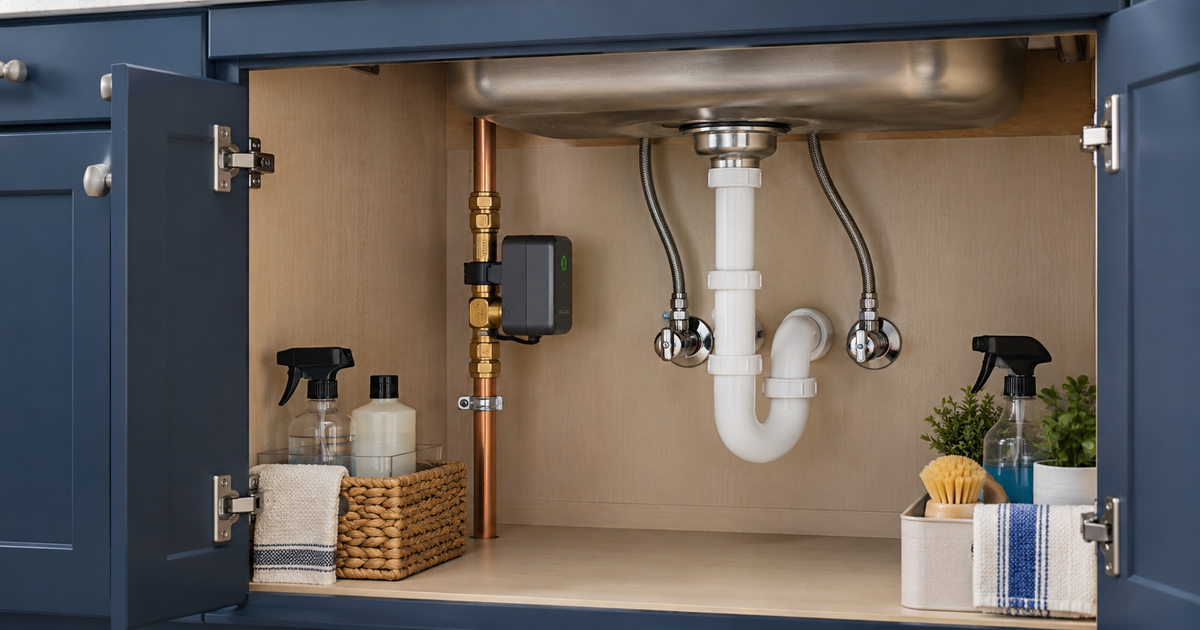
The homeowner’s problem was initially described as a blockage affecting the home’s water supply. During the visit, the technician located an electronic entrance valve beneath the kitchen sink.
According to the work record, the valve was connected to the house alarm and had been installed incorrectly. When the alarm commanded the valve to open, it closed instead.
The documented correction was a change to the electronic motor’s orientation. After that correction, water service was restored and the valve was functioning properly at completion.
That sequence explains why a symptom label is only a starting point. A customer can accurately report that water is not reaching fixtures without knowing whether the cause is a blockage, control issue, valve position, or another supply problem.
The record does not describe the exact wiring, alarm settings, or installation configuration. It should not be used as a step-by-step repair guide for another property.
Start by describing the affected fixtures
Before contacting a service provider, note whether the problem affects one fixture, several fixtures, or the entire home. Also distinguish hot-water problems from a loss of both hot and cold water.
You do not need to run every tap repeatedly. Use observations you already have, particularly if there is a leak or other reason to keep water use stopped.
Helpful descriptions include:
-
No water at any previously checked fixture.
-
Normal cold water but no hot water.
-
One faucet is affected while others work.
-
Water stopped after an alarm event.
-
Water stopped after recent valve or plumbing work.
These observations help define the complaint. They do not establish the diagnosis.
If the system deliberately closes after detecting a possible leak, tell the service provider. Restoring flow without investigating the reason for a protective shutoff may overlook the original problem.
Read the message before changing settings
If the smart water shutoff valve has an accessible display or application, record the exact message and time of the event. Keep a screenshot if it can be captured without exposing account information.
Separate what the display says from what you observed. For example, an application may report an open command while no water reaches the fixtures. That mismatch is useful information, but it still requires investigation.
Avoid making several changes before the appointment. Multiple resets, altered settings, and repeated manual commands can make it harder to explain the original sequence.
Record any changes already made, including the approximate time and what happened afterward. A simple timeline is more useful than a confident guess about which component is defective.
Never share alarm codes, passwords, or account credentials in an ordinary service request. Equipment identification and symptom details are different from security access.
When the water utility may need checking
A household supply problem is not always caused by equipment inside the home. If there is an announced outage or an issue affecting neighboring properties, the water utility may be the appropriate first contact.
Check the utility’s official notices or customer-service process rather than assuming an indoor valve has failed. A utility issue and a household issue can produce similar initial complaints.
Conversely, an absence of reported outages does not prove the smart water shutoff valve is responsible. The service provider still needs to assess the relevant supply and equipment.
Tell ACCU Plumbing what you have checked and where the information came from. There is no need to diagnose the entire water system before requesting help.
The practical goal is to avoid an unsupported conclusion, whether that conclusion is a city outage, a clogged pipe, or a failed electronic device.
Why homeowners should avoid copying this correction
Changing motor orientation may sound simple when summarized in a work order. The correct procedure depends on the actuator, valve, mounting arrangement, and manufacturer instructions.
Do not rotate, detach, rewire, or bypass a connected valve based on this example. Do not assume that a manual override described for another brand is safe for the equipment in your home.
The alarm connection also matters. Some problems may require coordination between a plumbing provider, the valve manufacturer, and the alarm installer.
Ask which part of the system each provider will evaluate. Clear responsibility helps distinguish water-flow diagnosis from alarm programming or electrical work.
ACCU Plumbing’s recorded visit demonstrates experience with one specific installation. It does not establish universal support for every connected-home platform or smart-valve brand.
When booking, describe the equipment so the office can confirm whether the requested work fits the available service scope.
Questions worth asking during diagnosis
A useful service explanation should connect the customer’s experience with the actual findings. Ask what was verified rather than requesting a replacement part by name.
Questions may include:
-
What position is the valve actually in?
-
Does its movement match the intended command?
-
Was the shutoff responding to a possible leak?
-
Is the issue mechanical, installation-related, or still unresolved?
-
Does another installer or manufacturer need to be involved?
-
What operation was tested after the work?
Not every question will apply to every product. The point is to understand the scope of the assessment and the evidence supporting the recommendation.
If a replacement is proposed, ask why repair, adjustment, or another diagnostic step would not be suitable. If work is deferred, ask what remains to be established.
Keep a useful equipment record
After the visit, retain the manufacturer, model, service findings, and any owner instructions. Store this information where the household decision-maker can find it.
For a connected device, keep the manufacturer’s support information separate from passwords and alarm credentials. Share only what is necessary through the provider’s agreed process.
Ask which maintenance or operating checks are intended for the homeowner. Do not turn a professional service procedure into an informal household routine.
If the symptom returns, describe what changed instead of assuming the previous cause has returned. A new alarm event, supply interruption, or unrelated plumbing problem may require a different response.
The Lake Lotawana outcome was proper operation at completion. There is no documented long-term follow-up in the supplied case packet.
Confirm the service scope when booking
Describe the connected valve before the appointment is arranged. Ask whether ACCU Plumbing can assess the plumbing issue and whether the alarm installer should also be involved. That clarification helps set realistic expectations without assuming every connected system is supported. Keep any manufacturer instructions available, but leave programming and component changes to the appropriate service process. Accurate equipment information helps frame that initial conversation.
Frequently asked questions
Can a smart water shutoff cause a whole-home water interruption?
A valve controlling the home’s incoming supply can interrupt downstream flow when closed. The actual cause of an unexpected interruption still needs assessment.
Does an offline message mean the valve is closed?
Not necessarily. Connectivity and valve behavior depend on the specific product. Use the manufacturer’s documentation and report both the displayed status and the observed water condition.
Should I disable the alarm connection?
Do not change or bypass the connection based on this article. Have the relevant providers identify the equipment and determine the correct approach.
Was the Lake Lotawana valve replaced?
The record describes a motor-orientation correction, not valve replacement. It records restored water service and proper operation at completion.
Request help with a household water-supply problem
An apparent blockage can have an unexpected cause. Accurate observations, equipment identification, and a clear account of recent events help frame the service conversation.
For residential plumbing in Lake Lotawana, contact ACCU Plumbing and explain the affected fixtures and any connected-valve messages. Ask the office to confirm the service scope for your equipment. Same-day appointments may be available; call to check.